Phyling-LTE V1
Phyling-LTE V1
Overview
The Phyling-LTE is a complete IoT sensor optimized for streaming data in real time over LTE-M or WiFi connectivity. Designed for sports and motion analysis applications, it combines a 9-axis IMU with multi-band GPS and a smart buffering system to ensure service continuity when offline.
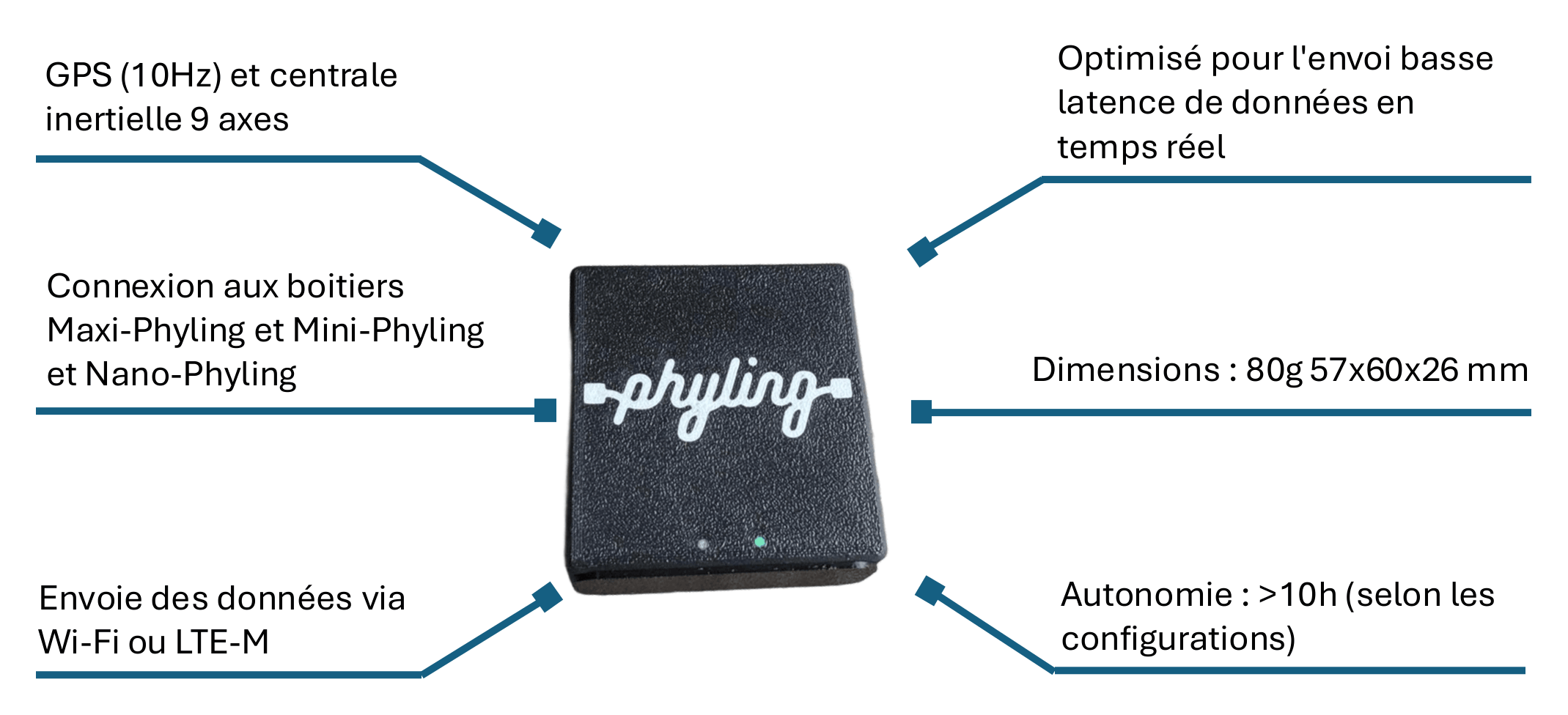
Technical specifications
| Specification | Value |
|---|---|
| Dimensions | 57 × 60 × 26 mm |
| Weight | 80g |
| Battery life | > 10h |
| Connectivity | LTE-M, WiFi, Bluetooth (BLE) |
| Sampling rate | 10 Hz |
| Onboard sensors | 3-axis accelerometer, 3-axis gyroscope, 3-axis magnetometer, multi-band GPS (10 Hz) |
| Internal storage | Partial offline buffer (automatic catch-up) |
Quick start
Powering on
The Phyling-LTE has an ON/OFF switch and a single multifunction button:
- Short press (< 1s) on the switch: turn the sensor on / off.
- Green LED: ready to start.
- Short press on the button: start / stop a recording.
- Blue LED: recording in progress.
Connectivity and synchronization
Once powered on and recording, the Phyling-LTE sends sensor data in real time over LTE-M or WiFi to the Phyling platform. You can view and configure the sensor via:
- Phyling cloud application: https://app.phyling.fr
- Phyling API: https://docs.phyling.fr/dev/
Offline recovery
If the LTE-M network is not available, the sensor keeps part of the data stream in memory (buffer). When the connection is restored, it automatically resends the pending data.
LED color code
A single LED provides all the information about the status of the Phyling-LTE:
- ⚪ White: the Phyling-LTE is initializing or shutting down
- 🟢 Green: the Phyling-LTE is ready to start a recording
- 🔵 Blue: the Phyling-LTE is recording data
- 🟣 Purple: the Phyling-LTE is in hotspot mode (WiFi configuration)
- 🔴 Red: there is a problem, indicated by the number of blinks before shutdown
- x2: Configuration error (invalid module, badly formatted file, etc.)
- x3: GPS not working (if it is not essential, disable it or set
"important": falsein its configuration) - x4: SD card full
- x5: Settings file error (Device, Wifi, Calibration files, etc.)
- x6: An error occurred during an update (green blinking if it succeeded)
- No blinking: Other problem
- Green blinking with 0.5s off-periods every 3s: one of the sensors defined as "important" is not connected
- Fast green blinking (0.25s off-periods every 0.5s): no network connection
- Red blinking of 0.5s every 5s: less than 15% battery remaining
- Red at power-on before initialization: there is an initialization error, you need to turn the Phyling-LTE off and on again
Charging
The Phyling-LTE is charged via its USB-C port with a standard adapter. A green LED indicates the charging status (on = charging, off = charged).
Real time & data stream
The Phyling-LTE is optimized for real-time streaming. Unlike other Phyling sensors that store data locally, it favors immediate transmission to the Phyling cloud platform.
Real-time visualization
Through the Phyling application or the real-time API, data is displayed instantly.
Configuration management
All configuration (sampling rate, alert thresholds, active modules) is done from:
- The cloud application app.phyling.fr
- The Phyling API
Hotspot mode
Hotspot mode lets you configure the WiFi connection of the Phyling-LTE through a web portal accessible directly from your device (phone, tablet or computer).
Enabling hotspot mode
- Press the sensor's ON/OFF button for 3 seconds.
- The purple LED lights up to indicate that hotspot mode is active.
- A WiFi network named
Phyling-LTE XXXappears: connect to this network. - Open the configuration portal (the URL is displayed automatically, or enter
192.168.1.42in your browser). - You can edit all the configuration files (wifi, config, etc.).
- The Phyling-LTE restarts and connects to the network. The LED turns green again (ready).
Data retrieval and export
Data retrieval and export are done only through the Phyling API in real time. The sensor stream is transmitted continuously and consumed directly by your application through the API.
Battery and battery life
The Phyling-LTE offers a battery life of > 10 hours of continuous use with recording and real-time transmission.
- Full charge via USB-C: ~2-3 hours
- Red blinking: battery < 15%
Optimizing battery life
To extend battery life:
- Lower the sampling rate if the required accuracy allows it
- Reduce the GPS transmission rate (configured in the app)
- Disable unused modules